
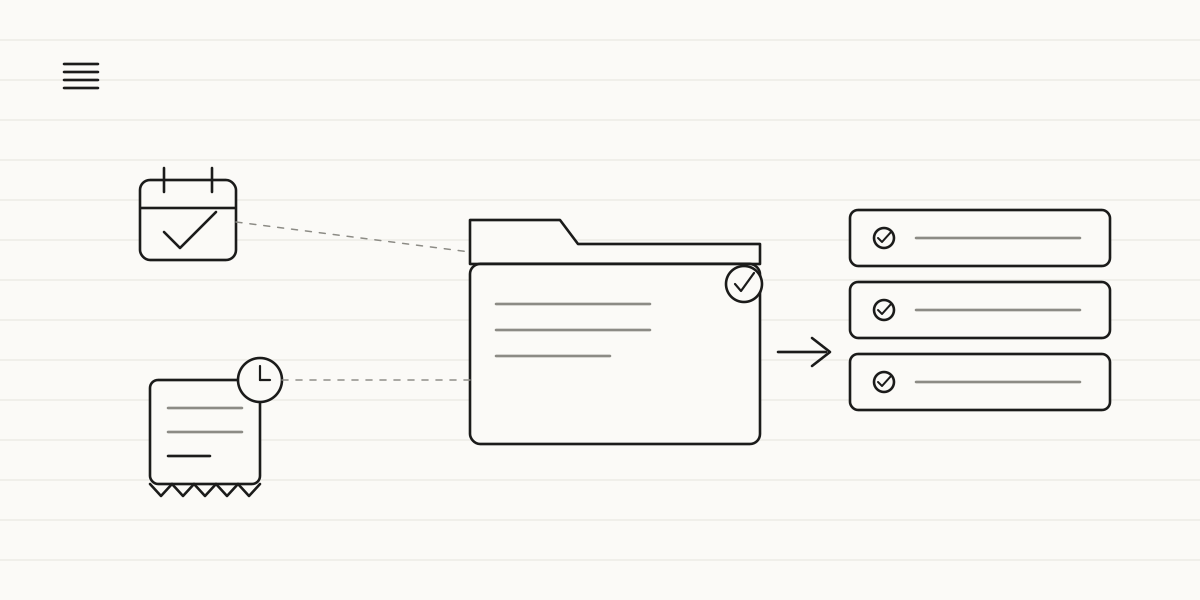
A small law firm can use AI to automate the administrative side of its day-to-day work: booking and confirming first consultations, collecting case details before the meeting, updating clients on their file's status, chasing overdue payments and answering repetitive questions. It never drafts legal documents, interprets the law or replaces the lawyer's judgment — that stays, always, a human lawyer's job.
A firm with two to ten lawyers doesn't have an admin department: there's one person, sometimes a partner themselves, splitting their time between handling cases and handling the calendar, the phone and the invoices. Every hour that goes into that is an hour that doesn't get billed, and it isn't spent on the client sitting right in front of them either.
None of what follows touches legal judgment. It's the plumbing of the firm: what one person does by hand today, repeating the same tasks every week. Five processes, in order of difficulty.
1. Scheduling first consultations (and their reminders)
The pain: someone calls to book a first appointment and, if nobody picks up right then, they often never call back. And the appointment that does get booked sometimes falls through because nobody confirmed it: the 10 a.m. slot stays empty, and that paid hour of a lawyer's time has produced nothing.
What gets automated: a system that offers available slots on the website or WhatsApp at any hour, books the first consultation without anyone needing to be on the phone, and sends a reminder with one-tap confirmation 24-48 hours ahead. If the client can't make it, the slot frees up with enough notice to offer it to someone else.
What changes: you stop losing prospective clients because nobody answered the phone the first time, and no-shows drop by a measurable amount. Difficulty: low. It's the automation with the fastest, most obvious return in the whole sector, and almost always where we start.
2. Collecting the case before the first meeting
The pain: the first consultation almost always starts the same way, with the lawyer asking the basics — what happened, since when, what documents they have, what they want to achieve — while the client explains it in no particular order. Half the meeting goes on gathering information that could have been ready before anyone sat down.
What gets automated: a short questionnaire that arrives automatically as soon as the appointment is confirmed, tailored to the type of matter — employment, probate, commercial — that collects the basic facts and asks the client to upload whatever documents they already have. All of it lands, organised, on the lawyer's desk before the meeting.
What changes: the lawyer arrives at the first consultation already understanding the case and spends the hour on what genuinely needs their judgment, not on taking notes on the basics. And the client sees an organised firm from the very first contact. Difficulty: low-medium.
3. Updating clients on their case status
The pain: the client calls to ask "how's my case going?" when in reality nothing has happened since the last time they asked. It isn't idle impatience: nobody has told them anything, and silence breeds anxiety. Every one of those calls interrupts whoever picks up, who then has to dig up the file just to answer.
What gets automated: an automatic alert at each real milestone in the file — the filing has been submitted, a hearing date has been set, a notice has arrived — sent to the client by email or WhatsApp without anyone having to remember to write it. The client knows the case is moving forward even if they never call.
What changes: the "how's it going" calls drop noticeably, and the ones left are the ones that actually matter. It's easy to measure: count those calls for a month before and a month after. Difficulty: medium. It depends on the case status living somewhere digital, even if that's just a shared spreadsheet.
4. Reminders for invoices and unpaid balances
The pain: an invoice goes out and nobody systematically follows up on whether it's been paid. The client usually isn't acting in bad faith — there's simply nobody whose job is chasing payments, and chasing them personally makes a partner uncomfortable when they'd rather the relationship not sour over money. The result is an unpaid invoice that drags on for months.
What gets automated: an outstanding-payment reminder that goes out on its own at agreed intervals, with a tone that firms up gradually, and stops the moment payment comes in. Nobody at the firm has to decide when to write or feel awkward about doing it: the system handles it, applying the same criteria every time.
What changes: collecting payment stops depending on someone remembering, and the firm's cash flow improves without anyone having that awkward conversation. Difficulty: low. It's the automation whose effect on the bank balance shows up fastest.
5. Answering the same questions, without giving advice
The pain: "How much is a first consultation?" "Do you handle unfair dismissal cases?" "What time do you open?" "How do I book an appointment?" The same administrative questions, twenty times a week, interrupting someone who should be preparing a case. And when someone searches for "employment lawyer near me" and asks an AI assistant instead of Google, what that assistant finds about your firm — or doesn't find — decides whether you show up in the answer.
What gets automated: an assistant on your website or WhatsApp that answers with your indicative fees, your practice areas, your hours and how to book, and hands off to a person the moment a question stops being administrative. And here the rule is non-negotiable: the assistant never drafts legal documents, never interprets the law or gives a legal opinion on anyone's case, and never replaces the lawyer's judgment. It handles the administrative and refers everything else.
What changes: the phone stops ringing for the same questions, and whoever asks at eleven at night gets an answer instead of silence until Monday. Difficulty: medium.
Where to start (and one rule)
Not all five at once. One. And in a small firm, number 1 — first-consultation scheduling — or number 3 — case status updates — are usually the right place to start: the pain is daily, the return is easy to measure and the change is noticeable within the first week.
The rule: start with what you can measure in hours or in money. A lost first consultation is worth whatever that client would have billed across the whole matter; one avoided follow-up call is one fewer interruption a day. Pick the automation whose result you can put into numbers, because that's the one that will convince you to do the second. The same logic applies to accounting firms, another professional-services business where judgment gets billed and admin gets thrown in for free.
Which of these five is costing your firm the most hours right now? Book a call with us and get all these improvements running within weeks. Less time on scheduling, the phone and invoices, and more time on the cases that genuinely need your judgment.