
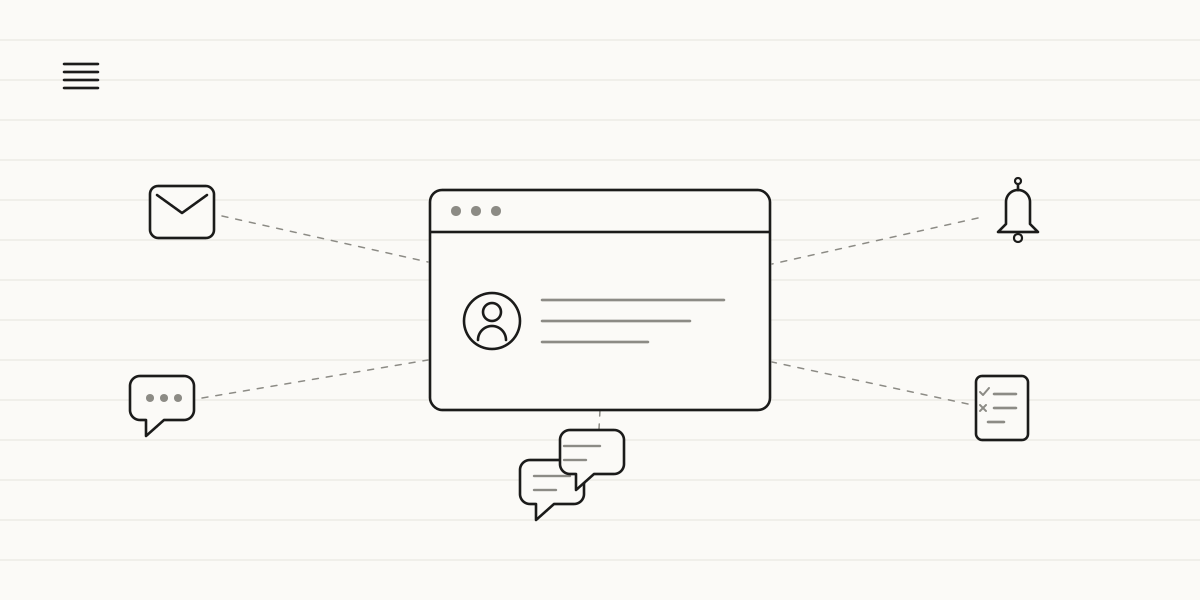
An academy can automate five processes with AI today: enrolling new students, reminders for classes and payments, FAQs about schedules and availability, attendance tracking, and communication with families or adult students. None of it requires technical skills or switching software: it connects on top of what you already use.
In a small academy, driving school or after-school tutoring centre, the problem is almost never the quality of the teaching. It's everything around the class: the enrollment form someone has to check by hand, the afternoon WhatsApp message asking if there's a spot free, the monthly fee nobody has paid and nobody has flagged, and the student who's missed three sessions in a row without anyone noticing until the progress review.
This isn't about replacing the teacher or making things feel less personal with families. It's about spending the team's time on teaching and on the conversations that actually matter, not on admin tasks that repeat identically every week. Five processes, in order of how easy they are to set up.
1. Enrolling new students
The pain: someone asks for information on Instagram, another fills in a form on the website, a third calls on the phone. Every channel ends the same way: you need the student's details, you need to check there's a spot in that group or time slot, you need to chase whatever documents are missing —consent form, photo, certificate— and collect the first payment or enrollment fee before confirming the place. Meanwhile, the spot can sit empty.
What gets automated: a flow that picks up the request wherever it comes from, checks real availability in the group or time slot requested, chases missing documents with a specific message —not a generic one— and handles the first payment. Once everything's complete, it enrolls the student on its own; when something's missing, it keeps following up until it's resolved, without anyone having to remember to do it.
What changes: nobody finds out two days late that a spot went empty for lack of follow-up. And whoever handles the front desk today stops filling in forms by hand and can focus on the calls that do need a person. Difficulty: low-medium. It's the one we recommend first almost every time, because a slow enrollment is money lost directly and measurably.
2. Reminders for classes, payments and renewals
The pain: the 5 p.m. class with two students who don't show up and don't let you know. The ten-class pass that expired without anyone telling the student. This month's fee still unpaid because the reminder goes out —when it goes out— by hand and late. Each of these slips costs a lost class, a delayed payment or a student who drops out without anyone seeing it coming.
What gets automated: reminders that go out on their own, by WhatsApp or email, at the right moment: a class reminder the day before, a payment notice a few days after it's due, an alert when only one or two sessions are left on a pass. With the student's name and the specific detail, not the same message for everyone.
What changes: fewer no-shows without notice, faster payments and no pass expires unnoticed. Difficulty: low. Together with enrollment, it's the automation with the quickest measurable return: just compare missed payments and drop-outs before and after.
3. Answering the same questions every time
The pain: "do you have a Tuesday slot for B1?", "how much is the intensive course?", "when does the next intake start?". The same twenty questions, every day, often in the evening or at the weekend, when there's nobody at the front desk to answer them. And a reply that arrives two days late usually means that family has already enrolled somewhere else.
What gets automated: an assistant on your website or WhatsApp, trained on your real schedules, prices and availability —not generic information—, that answers at any hour and hands off to a person as soon as the query has any nuance: a scholarship, a scheduling clash, a complaint.
What changes: you stop losing enrollments because nobody answered outside office hours. Difficulty: low-medium. And one condition is non-negotiable: the assistant has to be able to say "I'll confirm that tomorrow" when it doesn't have the answer, never invent a spot or a price you'll have to walk back later.
4. Tracking attendance and student progress
The pain: attendance gets noted on paper or in a spreadsheet nobody looks at until the progress review, a month after the problem started. The student who's missed three Tuesdays in a row, the one whose homework keeps getting weaker, the family who should have been told weeks ago: all of it gets caught late because nobody has time to go through the lists every day.
What gets automated: a system that pulls together each group's attendance and flags a pattern on its own —two or three sessions missed in a row, a noticeable drop in grades or submissions— instead of waiting for the term report. It doesn't replace the teacher's judgement: it puts the right name in front of them, in time.
What changes: the family hears about it while there's still time to do something, not once half the term is gone. Difficulty: medium. It depends on having attendance somewhere digital, even something simple, rather than only on paper.
5. Communication with families or adult students
The pain: in after-school clubs and tutoring, you're talking to parents; in language schools, driving schools or vocational training, to the adult student themselves. Either way, the same pattern repeats: the same piece of information —a room change, a public holiday, an exam moved up— goes out through three different channels, by hand, and someone always finds out late or not at all. And the one-off questions —how's my child doing, when's my next practical exam— keep interrupting the teacher between classes.
What gets automated: general notices —room changes, holidays, exam dates— go out on their own to the right group through the channel they already use; individual questions about progress or upcoming dates get handled by the same assistant that answers the FAQs, using that student's or that child's real data, and it hands over to a person when the conversation calls for it.
What changes: every family or student gets what applies to them, through the right channel, without anyone having to remember to notify each one individually. Difficulty: medium-high, because it connects several pieces at once —groups, calendar, notification channel— but it's the one that shows up most in how organised a centre feels.
Where to start (and one rule)
Not all five at once. One. In most small academies, the answer is 1 or 2 —enrollment or reminders— because the pain shows up weekly, it's measured in real euros (empty spots, unpaid fees) and it's relatively simple to automate.
The rule: pick the process you can measure this very week. Count how many spots have gone empty because enrollment was slow, or how many students missed a session without notice. If you don't know today's number, you won't know whether the automation actually helped, and if you can't prove it, you won't convince the rest of the team to take the next step. It's the same logic we apply with Odonis in the dental sector: one measurable process first, then the next.
That's how we work at Zen Praxis: a free diagnosis to see which process is costing you the most hours or enrollments, a proposal with fixed timelines and budget, implementation on top of the tools you already use —without stopping classes— and support for your team until they've got the hang of it. The first solution can be up and running in weeks, with the potential to free up to 35 hours a month per person and the investment recovered in under six months.
Which of these five is costing your academy the most hours right now? Book a 30-minute call and we'll go through it together, no jargon and no strings attached.